Kagemusha v1.0.0 Released
Today we're excited to announce the initial release of Kagemusha v1.0.0. Kagemusha turns websites into standalone macOS apps powered by Chrome, Brave, Edge, Opera, Vivaldi, Chromium, or Arc.
What is Kagemusha?
True to its name — "shadow warrior" in Japanese — Kagemusha acts as a shadow of your browser. Without modifying the browser itself, it lets you use your favorite web services as if they were native apps. Icons line up in your Dock, you can switch between them with ⌘+Tab, and notifications are delivered individually.
Dock Launcher — Your Personal Launchpad
The headline feature of v1.0.0 is the Dock Launcher. It displays all your Kagemusha apps in a beautiful grid — just like macOS Launchpad. Click an icon and the app launches instantly.
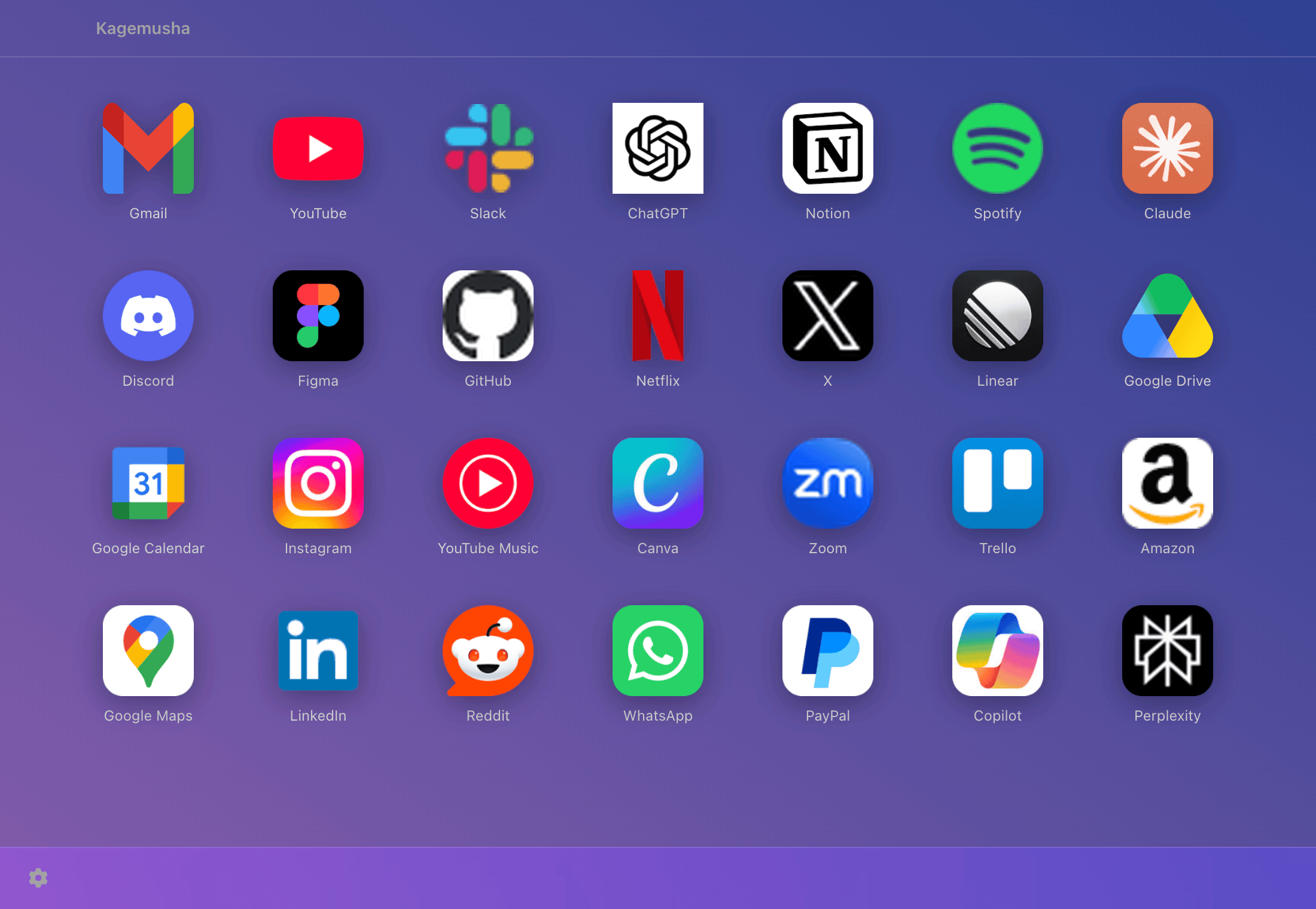
Dock Launcher highlights:
- One-click launch — Click any icon to instantly open the web app
- Custom backgrounds — Choose from 12 solid colors, 12 gradient presets, or pick any color with the color picker
- Adjustable opacity — Slide between 10% and 100% transparency to let your desktop wallpaper show through
- Drag-and-drop reordering — Drag icons to rearrange them however you like. Order is saved automatically
- Keyboard navigation — Use arrow keys to select apps, Enter to launch. Full control without a mouse
- App search — As your collection grows, the search filter helps you find any app instantly
This feature is not available in Coherence X5 or Unite 6 — it's unique to Kagemusha.
Other Key Features
240+ Presets
Gmail, Slack, Notion, ChatGPT, YouTube, and over 200 other services are available as one-click presets. No need to hunt for URLs or icons — just pick a service and generate your app.
7 Browser Engines
Not just Chrome — Kagemusha supports Brave, Edge, Opera, Vivaldi, Chromium, and Arc. Choose your preferred browser engine for each app.
Space Mode
Group multiple web services into a single app with "Space" mode. For example, create a "Work" Space with Gmail + Calendar + Slack, or a "Social" Space with X + Instagram + Threads. Switch between them with a single click in the sidebar.
Custom Icons
In addition to preset icons, you can drag and drop any image to set as your app icon. The macOS-standard superellipse corner radius is applied automatically.
Native macOS Integration
Generated apps integrate with the macOS Dock and behave just like native apps. ⌘+Tab switching, Mission Control, and notifications all work seamlessly. Toggle tabs, incognito mode, and more from the settings.
Pricing
Free for up to 3 apps. Beyond that, a one-time purchase of ¥980 unlocks unlimited app generation.
Download
Download from GitHub Releases. Requires macOS 12 (Monterey) or later.
We'll continue adding new features and improvements. Send your feedback via GitHub Issues.