Opening Coinbase in a window of its own: not closing the order window by mistake
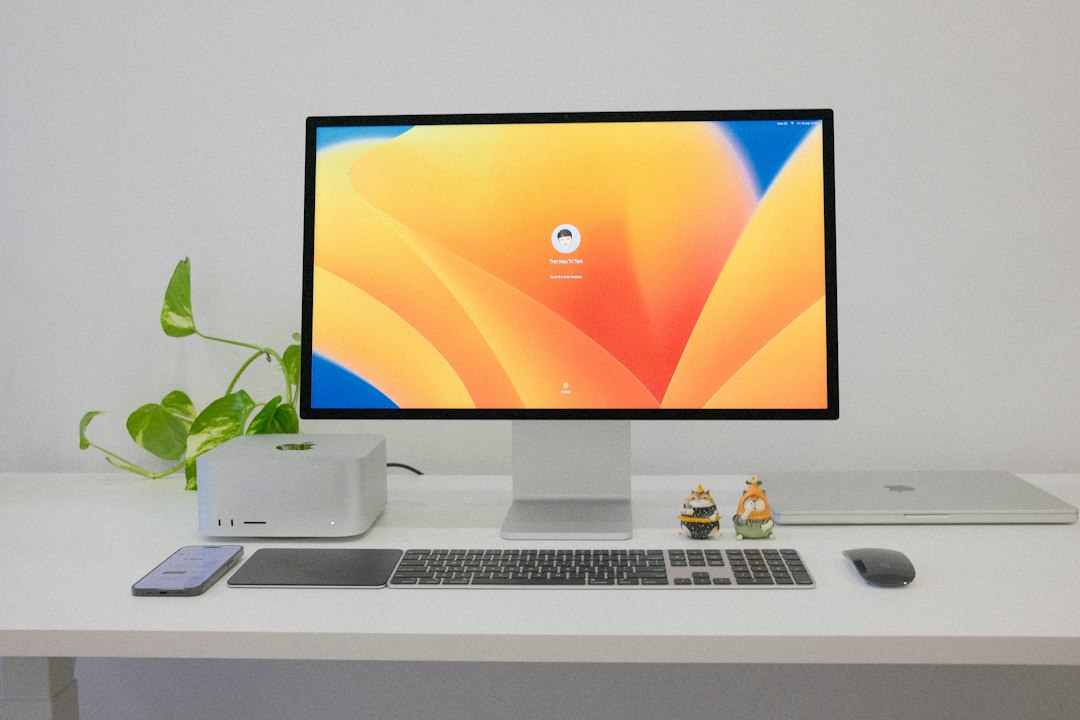
Looking for a Coinbase desktop app on a Mac turns up mobile downloads and a browser extension. That is the accurate picture rather than a gap in the search results. Coinbase ships applications for phones and an extension for Chrome, and everything else happens on a web page. For anyone who watches an order screen while doing other work, that leaves a specific and avoidable problem: the most important window on the machine is a tab among thirty, in the same browser used for everything else.
What Coinbase ships for a computer
Two facts settle the platform question. Coinbase's help centre, on the page about which devices are supported, states that the Coinbase mobile app is available on iOS and Android, and names the published app as Coinbase: Buy Bitcoin & Ether from Coinbase, Inc. The wallet download page lists four routes, and it is worth reading the shape of that list rather than the marketing around it.
| Route | Platform | What it is |
|---|---|---|
| Mobile app | iOS, Android | Downloaded from the App Store or Google Play |
| Browser extension | Chrome | The Coinbase Wallet extension from the Chrome Web Store |
| Web | Any modern browser | A wallet created directly in the browser |
| Desktop application | Not offered | No macOS or Windows build is published |
The absence of a Mac build is checked by reading what Coinbase itself distributes, not by searching the Mac App Store. A store search fails for boring reasons: regional catalogues differ, iPhone apps appear in a separate section on Apple silicon Macs, and unrelated apps with similar names crowd the results. The reliable method is to open the vendor's own download page and see which operating systems it names. Coinbase names two phone platforms and one browser.
The trading side is the same. Coinbase Advanced, the order book interface with spot and derivatives, is a web application reached at coinbase.com. It is not packaged as a desktop program either, which means the order screen, the chart, and the fee tiers all arrive through a browser window on a Mac.
The two surfaces that get mixed up
Searches for a desktop app collapse two products, and the difference decides which route applies.
The Coinbase account is the exchange side, where funds are held in a hosted account and orders are placed. Access is the phone app or coinbase.com in a browser.
Coinbase Wallet, now presented alongside the Base App, is the self custody side, where keys live on the device. For a computer, the published route there is the Chrome extension, with a web option for creating a wallet in the browser. The extension is a browser component by design, which means the browser is part of the system rather than an accident of it.
That distinction matters for the rest of this article. A window built from a website can hold the exchange screens perfectly well, since they are ordinary web pages behind a sign in. Anything that depends on an extension for signing stays tied to the browser that holds the extension, so the choice of which browser builds the window is not cosmetic.
Why a tab is a poor container for an order screen
Three failure modes account for most of the frustration people describe, and none of them is about speed.
The first is accidental closure. A tab holding a half filled order form is indistinguishable from a tab holding an article, and tab cleanups do not discriminate. Browsers can reopen a closed tab, but whether the form contents come back depends on how the page was built, and a partially entered amount is exactly the kind of state that does not survive.
The second is session collision. A single browser profile signed into several accounts across several sites shares one cookie jar. Signing into something else in another tab can push a session back to a sign in screen at the least convenient moment.
The third is the route in. When the exchange lives in a tab that gets closed daily, the next visit starts by typing a few letters into the address bar and accepting whatever the browser suggests. For a financial account that is the weakest link in the whole routine, because the suggestion is a guess about intent rather than a fixed destination. A window with a saved URL removes the guess.
Speed is the smallest of these and the one usually advertised. The durable gains are a container that does not get swept up, a session that is not shared, and an entry point that cannot be misdirected.
Which screens deserve a window
Not every page in an exchange account is worth a Dock icon, and building one window per screen produces a Dock nobody can read. Three tests separate the candidates from the rest.
Frequency is the first. A screen opened several times a day repays a fixed entry point, while a screen visited once a quarter does not. Portfolio and order screens usually pass. Statement downloads and tax exports usually do not.
A stable URL is the second. If the screen where work begins can be reached by a single address that still works tomorrow, that address can be saved into the window. If getting there requires selecting a market from a menu and then a timeframe, the window can only deliver the reader to the doorstep.
Separation is the third. Two accounts that must never be confused, such as a personal account and one held for a business, are the strongest case for two windows, because the isolation does the work that careful clicking otherwise has to do. One account with one screen is the case where a bookmark would have been enough.
What a window of its own actually changes
macOS provides two routes, both free, both requiring no administrator password.
Safari, from macOS Sonoma 14 or later, offers File then Add to Dock. Apple's documentation describes exactly what results: a web app functions independently of Safari, and it shares no browsing history, cookies, website data, or settings with Safari. The app is saved to the Applications folder of the home folder, so no system level installation happens. Notifications work once permission is granted inside the web app rather than in Safari, and the count of unread notifications then appears as a red badge on the icon in the Dock.
Chrome's equivalent is More, then Cast, save, and share, then Install page as app, documented in the Chrome help pages. A window created this way belongs to the Chrome profile that built it and inherits that profile's session, which is convenient for a single account and unsuitable for a second one.
The practical differences read like this.
| Behaviour | Coinbase in a browser tab | A window built from the site |
|---|---|---|
| Survives a tab cleanup | No | Yes, closing it is a deliberate act |
| Session sharing | Shared with every tab in the profile | Isolated on the Safari route |
| Opening screen | Wherever the tab was left | The URL saved when building it |
| Appears in Command+Tab | As the browser | As its own entry |
| Links from mail or chat | Open here | Open in the default browser |
The opening screen row is the one to plan around. Saving the window with the URL of the screen where the session actually starts, whether that is the portfolio, the order book, or a specific market, means the Dock icon lands on work rather than on a home page that needs two more clicks.
Checking again later, without trusting a store search
Platform support changes, and an article is a snapshot. The method for re-checking is short enough to run in a minute, and it does not involve a store search.
Open the vendor's own download page and read which operating systems it names. A company that ships a Mac build says so on the page where it asks people to download, because that page exists to convert visitors. Then open the help centre and look for a supported devices or system requirements article, since that is where a platform list gets maintained even when marketing pages move on.
If a file is offered, check what the download actually serves before installing it. A publication date attached to the file, and a separate build for Apple silicon rather than one universal download, both indicate a client that is being maintained rather than one left behind years ago.
What not to rely on is a search in the Mac App Store. On Apple silicon Macs, iPhone apps appear in their own section of the results when the publisher allows it, which makes a phone app look like a Mac app. Third party clients from unrelated developers also rank in those results, and for a financial account the identity of the publisher is the whole question.
The signing question, before moving anything
One check has to happen before a built window becomes the daily route. If transactions are approved through the Coinbase Wallet extension, confirm that the extension is reachable from the window before relying on it. A window built through Safari is isolated by design, so it shares nothing with the browser around it. A window built through Chrome is attached to a profile, which is the route to test first for anyone who signs with the extension.
Two other habits are worth keeping regardless of the container. Two factor authentication belongs on the account rather than on the window, since a window is a way to reach a page and not a security boundary. And a built window does not change what the site is allowed to do, because the browser underneath still decides that. The gain is a fixed, isolated route to a page that is already trusted.
Where a dedicated tool earns its place
One window is a one minute job with the built in routes, and for a single exchange account that is the whole answer. The reason people reach for a site to app tool is the fourth or fifth window: several accounts that must not share sessions, icons that make the Dock readable at a glance, and a set that can be rebuilt on a new machine without remembering how each one was made. What such windows can and cannot do is set out in the feature list, the mechanics of building one are in the guide, and the services that behave well in a window of their own follow visible patterns in the list of supported services.
What to change first
Build one window on the screen the session actually starts from, not on the site's home page, and choose the Safari route if the browser already holds other signed in accounts. Test a signing flow before retiring the tab, then keep the browser for reading and leave the account in its own window. Pricing for keeping a set of these in order is on Kagemusha.
Frequently asked questions
Is there an official Coinbase desktop app for macOS?
No. Coinbase's own download page lists an iOS app, an Android app, a Chrome extension, and a browser route for creating a wallet. Its help centre states the mobile app is available on iOS and Android. No macOS or Windows build is published, so a browser is the supported way in on a Mac.
Does Coinbase Advanced need a desktop application?
No. Coinbase Advanced, including the spot and derivatives screens, runs as a web application at coinbase.com. That is why the useful change on a Mac is the container around the page rather than a download, since the interface itself is already complete in a browser.
Will the Coinbase Wallet extension work inside a window built from the site?
That depends on which browser built the window. A window created through Safari is isolated and shares nothing with the browser around it. A window created through Chrome belongs to a Chrome profile, so that is the route to test first if transactions are signed with the extension.
Is a window built from a website safer than a tab?
It is not a security feature, and two factor authentication still belongs on the account. What it removes is one weak step in the routine, because the window always opens the URL saved into it instead of relying on an address bar suggestion or a link from elsewhere.