Notion as a desktop app: what the free tier covers
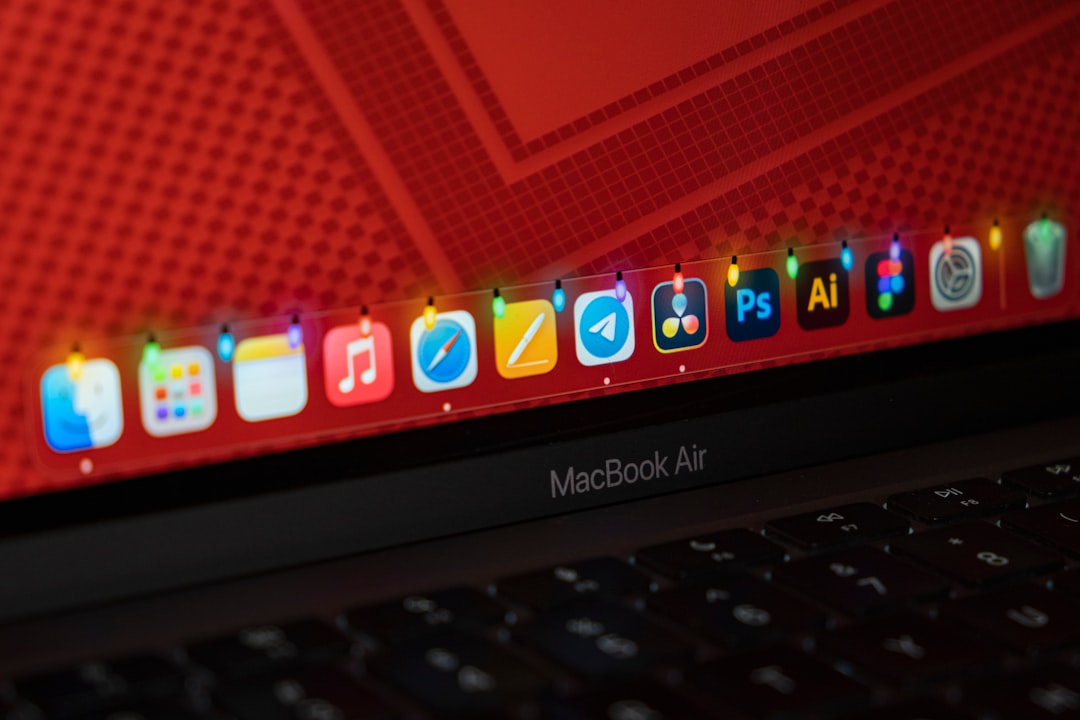
Pricing questions about running Notion as an app tend to collapse because two different bills get added together. One quote is a monthly per-seat subscription. The next is a one-time license for a desktop utility. A third answer says the whole thing is free because macOS already does it. All three statements are accurate, and they describe different layers.
This article separates those layers, states what each one costs according to published pricing, and marks the exact points where the free path stops being free. The goal is not a total. The goal is knowing, for a specific setup, whether any money changes hands at all.
Two bills, and only one of them moves
Running Notion as an app can involve a Notion subscription and a tool that produces the app. These are independent.
The Notion subscription does not change when the method changes. Opening a workspace in a browser tab, in the official desktop client, or in a standalone window pinned to the Dock produces the same invoice. Notion bills by plan and by member of the workspace. The window used to reach the content is not an input to that calculation. Nothing about wrapping a URL adds a seat, upgrades a plan, or unlocks a paid feature.
The second layer, the method, is the only place where a choice affects the number. Some methods are included with software already installed. One category, general purpose site to app tools, is sold separately.
That split answers the common worry directly. Putting Notion in the Dock does not make Notion more expensive. It can cost something on the tooling side, depending on which of four routes gets used, and three of those four routes have no price attached.
Adding the two layers together before separating them produces a figure that cannot be acted on, because one number scales with headcount and the other scales with machines. They need to be counted in different units.
What the Notion price list actually says
Notion's pricing page can be switched to Japanese yen. In that view, Free is listed at 0 yen, Plus at 1,650 yen per member per month, Business at 3,150 yen per member per month, and Enterprise as custom pricing handled through sales. Payment can be monthly or yearly, the page notes savings of up to 20 percent on yearly plans, and it states that Japanese consumption tax applies where relevant.
The per-plan limits are published in the same comparison table. Free caps file uploads at 5MB each, keeps 7 days of page history, allows 10 external guests, and permits 1 chart. Plus extends page history to 30 days and removes the file upload restriction. Business carries 90 days of history, and Enterprise is unlimited.
Offline appears as its own row. Notion states that offline use is available on the desktop and mobile apps, that pages can be selected for offline download, and that recents and favorites download automatically. This is the single most misread line in the table for anyone comparing app methods. Offline is not a plan tier. It is a property of the native client. A free plan opened in the official desktop app gets offline reading. A paid Enterprise plan opened through a wrapped web page does not, because a container around a web view has no local store to read from.
One more unit problem is worth naming. The plan prices are per member per month. A team of three on Plus pays 4,950 yen monthly, not 1,650. Tooling prices are usually per machine or per license. Comparing a per-seat figure against a per-machine figure without converting will produce the wrong conclusion in either direction.
Three of the four routes carry no price
Four approaches produce a Dock icon. Three of them are already paid for.
The official desktop client is distributed free. Notion's download page lists macOS Universal, macOS Apple Silicon, and macOS Intel x64 builds, and offers Notion Calendar as a separate macOS download plus the Web Clipper as a Chrome extension. Even the official side is three products rather than one, so only the needed pieces get installed.
Safari's Add to Dock is part of macOS. Nothing is purchased.
Chrome installing a page as an app is part of Chrome. The help documentation describes reaching it through the More menu, then Cast, save, and share, then Install page as app, with some sites offering an Install control at the right of the address bar instead.
The fourth route, a general tool that wraps any URL into a standalone macOS application, is the only one sold. Those tools split between one-time purchases and subscriptions, and the amount varies by product. That makes this the one layer where comparison shopping has a point. The structure behind that pricing is laid out on the Pricing page, and it is worth reading only after establishing that the three free routes fall short of a specific requirement.
Where the free path stops for published pages
Cost analysis usually ignores the publishing side, which matters for anyone turning a Notion page into an app for other people to read: a handbook, a client manual, an internal runbook.
Notion's help documentation describes what a Notion Site includes:
Publish unlimited pages to the web. Get one notion.site domain. Turn on Search engine indexing for your site. Source: notion.com
That much holds on any plan, including Free. Unlimited published pages is a genuinely generous floor, and a published page has a stable public URL that any of the four app methods can point at.
Payment starts at customization. Search engine optimization controls, themes, and Google Analytics integration are described as available on paid plans. Using a custom domain is handled as a purchased add-on. Slug editing, meaning the part of the URL after the domain, is a paid plan feature, limited to letters, numbers, and hyphens, with a maximum of 60 characters.
Two constraints deserve attention before anything gets wrapped. Publishing a page publishes its subpages along with it, so the scope needs checking first. And Notion states that once a published page is permanently deleted, its slug cannot be reused. An app points at a fixed URL, so a URL that cannot be recreated is a URL worth getting right the first time.
Which decisions move money
| Decision | Cost changes | What determines it |
|---|---|---|
| Notion plan | Yes | Members and tier, independent of app method |
| Install the official desktop client | No | Distributed at no charge |
| Safari Add to Dock | No | Included in macOS |
| Chrome install as app | No | Included in Chrome |
| General site to app tool | Yes | One-time or subscription, varies by product |
| Publish a Notion page | No | Unlimited published pages on any plan |
| Choose the published URL slug | Yes | Paid plan feature |
| Publish on a custom domain | Yes | Purchased add-on |
Four rows move. Three of those four sit on the Notion side and would apply whether or not anything was ever placed in the Dock. Exactly one row belongs to the app decision itself.
Read that way, cost is rarely the blocker. A setup can start at zero, run for two weeks, and reveal a concrete missing requirement before any purchase is considered. The only thing spent in that trial is the time to make one icon.
The table also exposes a sequencing mistake that is easy to make. People frequently upgrade a Notion plan while trying to solve a window management problem, because the two got discussed in the same conversation. Upgrading from Free to Plus buys longer page history, larger uploads, and unlimited guests. It does not produce a second Dock icon, it does not separate two accounts, and it does not stop a workspace from opening inside a browser tab. If the complaint is about finding the window, no row on the Notion price list addresses it.
The costs that arrive as steps rather than charges
The unbilled overhead is real and shows up as repeated small decisions.
Chrome notifies the user when a web app wants to change its displayed name or icon, offering update, ignore, or uninstall. One app makes this invisible. Ten apps make it a recurring interruption.
Removal has its own friction. Chrome's uninstall flow includes a separate choice to also delete the app's data from Chrome, which determines whether a login survives. Creating takes seconds. Cleaning up is done one item at a time.
Rebuilding is the third recurring cost. An app is fixed to the URL it was created with. Moving to a different workspace, restructuring a page tree, or changing a published page's address leaves the icon pointing somewhere that no longer exists. Because a deleted published page cannot have its slug reclaimed, some of these corrections cannot be undone by simply restoring the old address. The work is small each time and it is never zero.
Mixed methods compound all of this. Notion through the official client, one site through Safari, three more through Chrome, and the rest through a general tool means four different creation paths, four removal paths, and four update behaviors held in memory at once. The invoice stays at zero while the mental cost rises with each additional method.
There is a cheap way to measure the overhead before committing to it. Build one app, by one method, for the single site opened most often. Leave it for two weeks and note two things: how many times it got opened from the Dock rather than from a browser tab, and how many times something inside it failed and sent the work back to the browser. Those two counts answer the question that a price list cannot, which is whether this setup is worth repeating nine more times.
Coverage changes what the question is
Past a certain number of daily sites, the deciding factor stops being price and becomes consistency.
For Notion alone, the official desktop client ends the discussion. It is free, and it retains the most functionality, offline reading included. There is no argument for spending money on that single case.
Above roughly five daily sites, uniform behavior starts to outweigh the per-item cost. Being able to build each one the same way, find them in the same place, and remove them with the same steps compounds as the count grows. The Supported services list is a fast way to check how many of the daily sites are covered by a single approach.
The other threshold is how many of those sites ship a native Mac client at all. Notion does. An internal admin panel, a billing dashboard, or a staging environment almost never does. If most of the list has no official app, consolidating on one method reduces the number of different things to remember, which is the actual scarce resource here.
What to change first
Write down every URL opened daily, then mark the ones with an official Mac app. Use official clients for the marked rows, and try Safari or Chrome on one unmarked row for two weeks before evaluating anything paid. Only after a specific requirement fails, such as running two accounts on the same service at once, does a general tool like Kagemusha become a question worth pricing.
Frequently asked questions
Does turning Notion into an app increase the monthly bill?
No. Notion charges by plan and by member of the workspace, and the client used to open it is not part of that calculation. A Free plan workspace can sit in the Dock as a standalone icon at no cost. The only figure that can change is the price of a general purpose wrapping tool, which is a separate purchase.
How far do the free methods actually go?
The official desktop client, Safari's Add to Dock, and Chrome's install as app all produce a dedicated icon and a window without browser chrome, at no additional cost. The two browser based routes also allow separate icons per workspace, since each one points at its own URL. What they do not provide is offline reading, which belongs to the native client.
Can a Notion page be published and shared on the Free plan?
Yes. Notion's documentation states that unlimited pages can be published to the web, that one notion.site domain is included, and that search engine indexing can be enabled. Paid plans add slug editing, themes, analytics integration, and the option to purchase a custom domain add-on. Note that publishing a page also publishes its subpages.
When is a paid wrapping tool worth considering?
When a specific requirement has already failed on the free routes. Common triggers are needing two accounts signed into the same service simultaneously, managing ten or more daily sites that should be built and removed the same way, or working mostly with internal systems that ship no native client. Buying before a requirement surfaces leaves nothing to evaluate the purchase against.